Yourcreativestudioforvirtualtry-on
Dress models in your products, stage furniture in real rooms, and turn stills into video. Create scroll-stopping assets for your store or help customers in person.
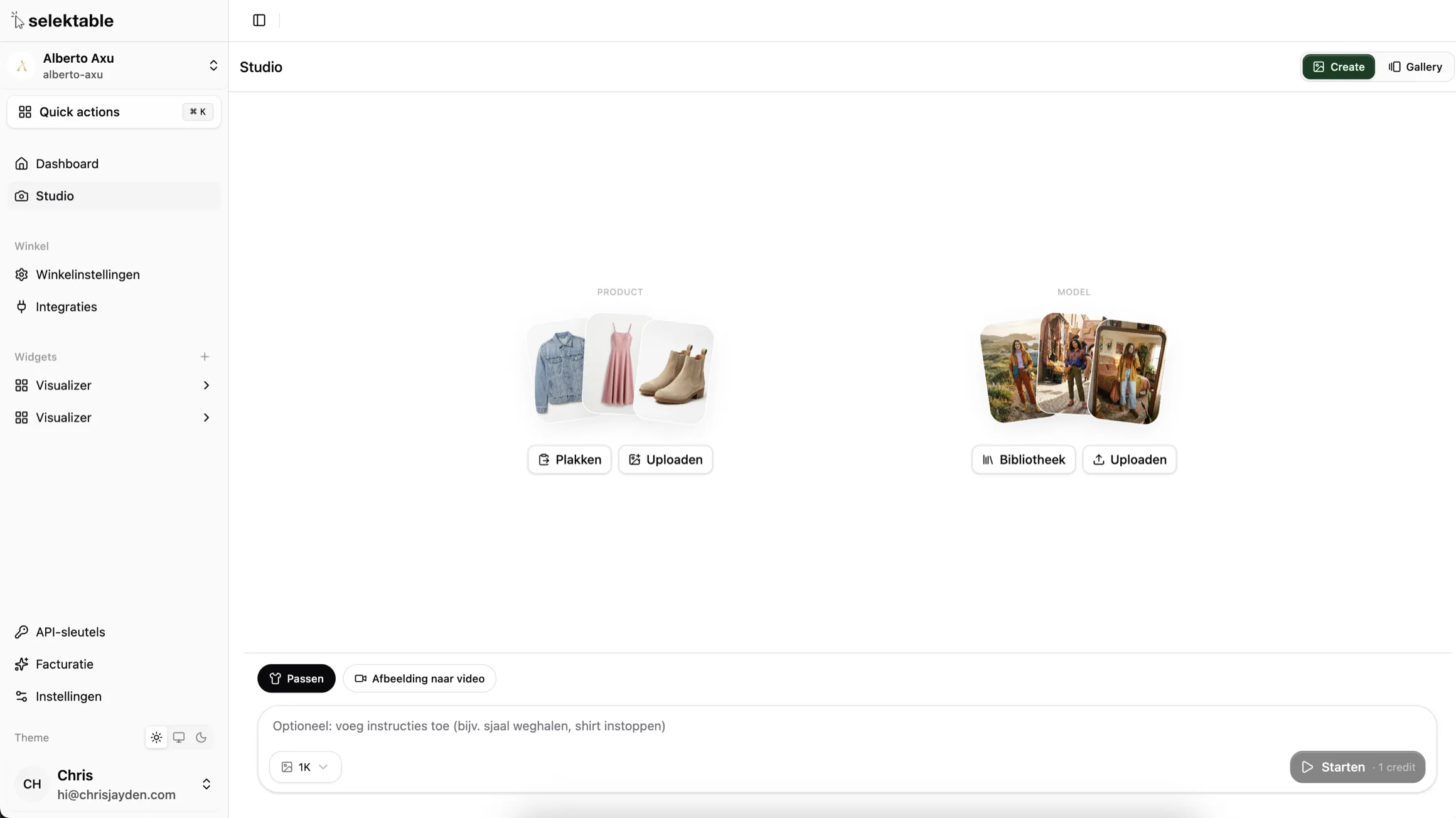
Onestudio,endlesspossibilities
In-Store Styling
Help customers try 4-5 wedding dresses or outfits on an iPad without changing into everything. Perfect for bridal shops, boutiques, and retail floors.
Product Page Assets
Generate high-resolution on-model imagery for your product detail pages. From 1K quick drafts to 4K production-ready visuals. No photoshoot needed.
Image to Video
Animate any try-on result into a short video clip (5 or 10 seconds). Ready for social media, product pages, and marketing campaigns.
Builtforprofessionals
Everything you need to create stunning visual content at scale, right from your dashboard.
Resolution Tiers
Choose between 1K, 2K, and 4K output. Quick drafts for in-store use, production-ready 4K for your product pages and campaigns.
Detail View
Every shot opens in a detailed modal showing the full result alongside the model and product used. Navigate between shots, download, or delete.
Gallery View
Browse all your generated assets in a visual gallery. Filter, search, and manage your creative output.
Instant Download
Download any result in full resolution. Ready for your product pages, social media, or print materials.
Shot Navigation
Navigate between shots with prev/next controls. See status, timing, and metadata for each generation.
Threestepstostunningcontent
Upload or select
Choose a product image and a model photo. Paste from your clipboard, upload directly, or pick from your saved library.
Configure and generate
Pick your resolution, choose try-on or room staging, add optional instructions, and hit generate. Results in seconds.
Review and download
View the result in full detail, compare with the source imagery, download in full resolution, or animate it into video.
StartcreatingwithStudio
Generate professional try-on imagery, create video content, and build your visual asset library. All in one place.